How do the core analytics terms differ?
| Term | Definition used here | Key limitation |
|---|---|---|
| Event | One observed action or system occurrence with time and context. | Events vary in meaning and can include automation or noise. |
| Page view | A tracked page or route view under a documented navigation rule. | Refreshes, SPA changes, redirects, and dynamic URLs need explicit treatment. |
| Page-level stay | A continuous segment on one normalized page. | Its end and final-page time depend on instrumentation. |
| Visit or session | Related activity grouped under an identity and sessionization rule. | Timeouts and forced boundaries differ across tools. |
| Elapsed duration | Clock time from selected start to selected end. | Can include idle or hidden gaps and omit work after the last event. |
| Observed engaged time | Time accumulated under documented activity, foreground, heartbeat, or gap-cap rules. | Observed activity is not perfect attention or value. |
| Active user or company | A distinct eligible identity meeting a qualifying activity rule in a period. | The result changes with eligibility, identity, and qualifying behavior. |
Different products can use the same word for different derived metrics. Publish the event trigger, identity grain, session boundary, inactivity timeout, navigation handling, foreground behavior, multi-tab logic, engaged-time method, timezone, and period endpoints.
| Contract field | Example decision | Metric affected |
|---|---|---|
| Identity grain | Authenticated person, anonymous browser, or company | Active users, active companies, Visits, and deduplication |
| Qualifying event | Any product event or only reviewed customer actions | Active entities, engagement intervals, and session starts |
| Route rule | Initial load plus tracked SPA history changes | Page views and page-level stays |
| Session boundary | Thirty minutes of inactivity plus identity and workspace changes | Visit count and elapsed duration |
| Engagement rule | Foreground activity with a two-minute event-gap cap | Observed engaged time |
| Reporting boundary | UTC timestamps grouped in a named business timezone | Daily, weekly, and monthly distinct counts |
Store the contract with a version and effective date. When the tracker, timeout, route normalization, or engagement cap changes, either recompute comparable history or mark a series break.
How should page views and sessions be defined?
A page-view contract must state whether initial loads, refreshes, Back and Forward navigation, pushState, replaceState, fragments, redirects, modals, and repeated routes create events. Normalize record IDs before grouping pages into meaningful features.
A Visit or session needs equally explicit boundaries:
| Boundary | Effect |
|---|---|
| Inactivity timeout | Start a new session when the qualifying-event gap exceeds the threshold. |
| Logout, app close, or explicit end | End the session when the signal is reliably observed. |
| Calendar day | Split at midnight in the configured reporting timezone. |
| Actor or authentication change | Start a new session for the new identity. |
| Campaign or referrer change | Start a new acquisition session when attribution changes. |
| Trusted supplied session ID | Group events carrying the same valid identifier. |
| Workspace, environment, device, or mode change | Apply an application-specific split when contexts must not mix. |
A 30-minute timeout is common, not universally correct. A longer threshold can preserve long B2B work but can also merge unrelated activity. Version the definition or recompute history when the rule changes.
| Edge case | Decision to test | Failure if ignored |
|---|---|---|
| SPA route change without reload | Which history changes create a view? | Navigation disappears or duplicates. |
| Dynamic record URLs | Which path segments normalize to parameters? | One feature becomes thousands of pages. |
| Redirect chain | Which route is analytical content? | Technical pages inflate views and stays. |
| Several browser tabs | Whether activity is merged, separated, or deduplicated | Elapsed and engaged time overlap. |
| Workspace switch | Whether a Visit must split at context change | Two customers share one session. |
| Offline or late events | How timestamps and delayed arrival affect boundaries | Visits reorder or change after publication. |
How are duration and engaged time calculated?
Elapsed Visit duration
selected session end timestamp
- selected session start timestamp
The end might be the last event, an explicit close, a timeout-derived boundary, or another maintained rule. Label the result as analytical elapsed time rather than exact attention.
| Method | Calculation | Limitation |
|---|---|---|
| Next-page timestamp | Next view minus current view | No next view on the final page. |
| Explicit leave event | Leave minus entry | Leave events can be lost. |
| Heartbeat | Accumulate confirmed intervals | Intervals, throttling, and background behavior affect totals. |
| Visibility or focus | Count eligible visible or focused intervals | Visibility and focus do not prove attention. |
| Capped event gaps | Add time to the next qualifying action up to a cap | The cap changes results and can miss quiet work. |
| Combined method | Use activity, visibility, heartbeat, and caps | More defensible but harder to reproduce and explain. |
Observed engaged time
sum of min(time to next qualifying activity, activity cap)
while the page is eligible and active
Qualifying actions, cap length, foreground rules, heartbeats, and final-interval handling must be documented. Higher engaged time can represent deep work, waiting, confusion, retries, or passive monitoring.
Which engaged-time edge cases need explicit rules?
- Final page: a leave signal may be lost, a heartbeat may continue in the background, and an event-gap cap can truncate quiet work. Publish the chosen compromise instead of calling it exact time on page.
- Several tabs or devices: prevent overlapping intervals from exceeding plausible human time unless the metric intentionally measures device activity.
- Account totals: distinguish summed user engaged time from wall-clock company time. Ten users active for six minutes produce 60 user-minutes, not necessarily one elapsed hour.
How do distinct and average metrics work?
Calculate active identities over the complete selected period:
Period active users and companies
count of distinct eligible user or company IDs
across the complete selected period
If Monday has Ava, Ben, and Chen and Tuesday has Ava, Chen, and Dev, daily counts sum to six but the two-day distinct total is four.
Why daily uniques cannot be added up
Monday
Tuesday
counted in the two-day total
Ava
once — active both days
Ben
once
Chen
once — active both days
Dev
once
Daily unique users
3
3
3 + 3 summed — wrong
6
Ava and Chen counted twice
Distinct over Mon–Tue
4
Recomputed across the whole period
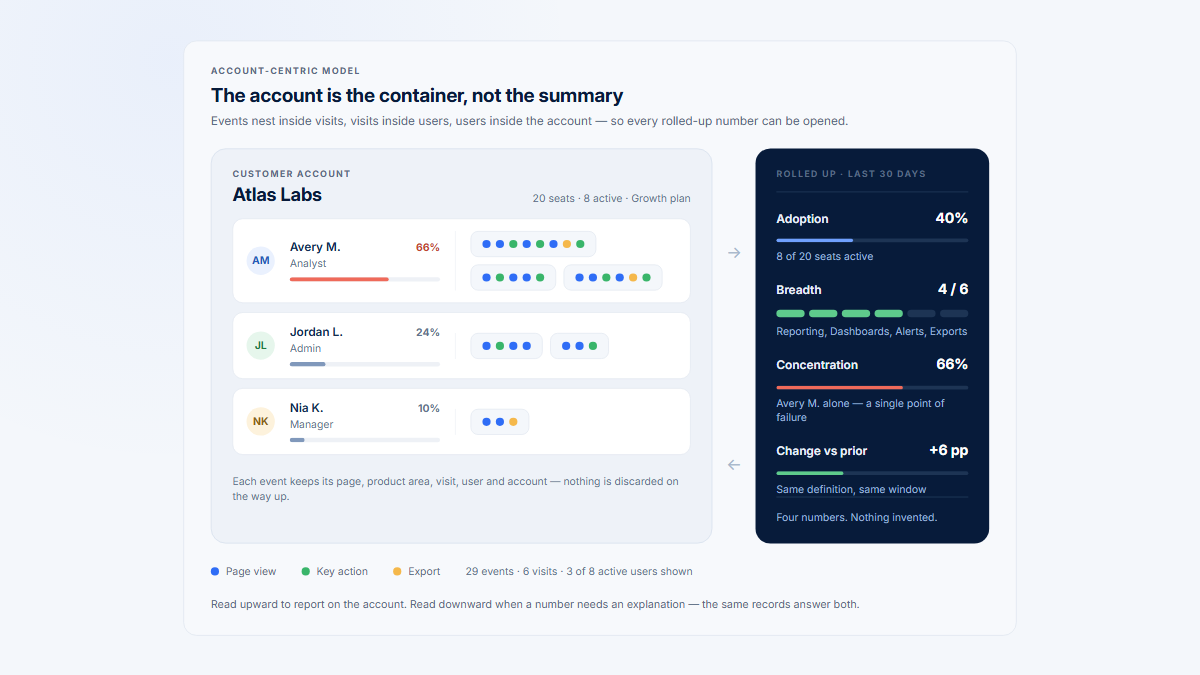
Events, page views, page stays, Visits, users, companies, and active days describe different grains. One user can generate 18 events, five page views, five stays, and two Visits on one day for one company.
Page interaction rate
page-level stays with at least one qualifying interaction
/ all page-level stays x 100
- Average elapsed duration per Visit: total elapsed duration / Visits.
- Average engaged time per Visit: total observed engaged time / Visits.
- Average engaged time per user: total observed engaged time / distinct active users.
Name the numerator and denominator. “Average duration” without them is not a reproducible metric.
What does the worked timeline show?
The timeline is fictional. It uses a 30-minute inactivity threshold, a fixed timezone, one identified user and company, a new stay for every tracked route view, foreground-only engagement, qualifying page views/clicks/forms, and a two-minute event-gap cap. The system export_completed event is recorded but does not start an engagement interval.
Both /reports/451 and /reports/883 normalize to /reports/:report_id and group into Report details.
| Time | Event | Page | Treatment |
|---|---|---|---|
| 09:00:00 | View /dashboard | Dashboard | Qualifying |
| 09:00:30 | Open report | Dashboard | Qualifying |
| 09:00:35 | View /reports/451 | Report details | Qualifying; new stay |
| 09:01:20 | Filter | Report details | Qualifying |
| 09:02:00 | Apply filter | Report details | Qualifying |
| 09:04:00 | Hidden | Report details | Stop eligible interval |
| 09:09:00 | Visible | Report details | Eligibility resumes |
| 09:09:20 | Export report | Report details | Qualifying |
| 09:09:30 | Export completed | Report details | Recorded, not qualifying |
| 09:10:00 | View /reports/883 | Report details | Qualifying; new stay |
| 09:10:45 | Open comments | Report details | Qualifying |
| 09:12:00 | View Integrations | Integration settings | Qualifying; new stay |
| 09:12:40 | Connect integration | Integration settings | Qualifying |
| 09:13:00 | Hidden | Integration settings | Stop eligible interval |
| 09:48:00 | View Profile | Profile settings | Qualifying; new Visit and stay |
| 09:49:00 | Timezone field | Profile settings | Qualifying |
| 09:50:00 | Save settings | Profile settings | Qualifying |
| 09:51:00 | Hidden | Profile settings | Stop eligible interval |
One user, 51 minutes: 18 events, 5 stays, 2 Visits
Visit 1 · 09:00–09:13 · elapsed 13:00 · engaged 07:40
Dashboard
/dashboard
00:35 engaged of 00:35
Report details
/reports/451
04:05 engaged of 09:25
Report details
/reports/883
02:00 engaged of 02:00
Integration settings
/settings/integrations
01:00 engaged of 01:00
35 minutes inactive — new Visit at a 30-minute timeout
Visit 2 · 09:48–09:51 · elapsed 03:00 · engaged 03:00
Profile settings
/settings/profile
03:00 engaged of 03:00
18
events
5
page views
5
page stays
4
grouped pages
2
Visits
1
active user
1
active day
| Result | Value |
|---|---|
| Captured events / page views / page stays | 18 / 5 / 5 |
| Normalized raw pages / grouped pages | 4 / 4 |
| Active users / companies / days | 1 / 1 / 1 |
| Visit 1 / Visit 2 | 09:00–09:13 / 09:48–09:51 |
| Total / average elapsed Visit duration | 16:00 / 08:00 |
| Observed engaged time Visit 1 / Visit 2 | 07:40 / 03:00 |
| Total / average per Visit / per user engaged time | 10:40 / 05:20 / 10:40 |
Engaged time by stay is Dashboard 00:35, report 451 04:05, report 883 02:00, Integrations 01:00, and Profile 03:00. The grouped Report details total is 06:05. Hidden intervals and the 35-minute gap are excluded.
What changes when the session rule changes?
Change only the timeout from 30 to 60 minutes. The 35-minute gap no longer starts a new Visit. Events remain 18, page views five, users one, companies one, and engaged time 10:40, but Visit-derived metrics change.
| Metric | 30-minute timeout | 60-minute timeout |
|---|---|---|
| Visits | 2 | 1 |
| Total elapsed Visit duration | 16:00 | 51:00 |
| Average elapsed duration per Visit | 08:00 | 51:00 |
| Average engaged time per Visit | 05:20 | 10:40 |
The same activity under two timeout rules
Observed engaged time
activity, foreground, 2-min cap
10:40
30-minute timeout
2 Visits
16:00
60-minute timeout
1 Visit
51:00
09:0009:1009:2009:3009:4009:51
Only the timeout changed. Engaged time is identical; total elapsed duration triples and the Visit average goes from 08:00 to 51:00.
Engaged time is 21% of the 60-minute-rule window. Reporting elapsed duration as attention overstates it by roughly five times.
Changing the engagement cap changes another set of metrics: with a one-minute cap, this timeline produces 09:25 instead of 10:40. Definitions are part of the data.
How do you keep these metrics trustworthy?
- Keep events, page views, stays, Visits, users, companies, and days at separate grains.
- Test SPA navigation, dynamic URL normalization, redirects, tabs, foreground changes, and the final page.
- Do not treat first-to-last time as attention or engaged time as value.
- Deduplicate identities over the complete period and publish timezone boundaries.
- Compare tools by calculation contract, not label.
| Controlled test | Expected result |
|---|---|
| Load, refresh, use Back, and trigger a tracked SPA route change. | Only contract-defined actions create page views and stays. |
| Open two dynamic record URLs in the same grouped feature. | Raw routes remain traceable while the normalized and grouped labels match. |
| Hide the page, wait beyond the activity cap, then return. | Hidden and capped intervals follow the published engagement rule. |
| Pause for just below and just above the timeout. | The boundary produces one and two Visits respectively. |
| Switch user or workspace during activity. | No Visit blends identities or customer contexts. |
| Use two tabs and close on the final page. | Time does not double count and the final interval follows the contract. |
| Query overlapping daily identities as one complete period. | Distinct totals deduplicate rather than sum the daily results. |
Re-run the test set after tracker, router, identity, session, or visibility changes. Reconcile a sample of aggregate rows to ordered raw events so a metric can be explained from evidence rather than only from its label.
Hymetry uses Raw URL → normalized page → grouped page → product area. Pages exposes page-level adoption and engagement; a capitalized Visit is a product session containing page stays. Companies and Users provide account and person context. Exact maintained repository documentation remains authoritative for tracker behavior; do not invent undocumented heartbeat, cap, focus, or visibility rules.
Frequently asked questions
How do page views differ from sessions?
A page view records a route view; a session groups related activity. One session can contain many views.
Are Visits and sessions the same?
Terminology varies. In Hymetry, a Visit is a product session; a page visit is a page-level segment inside it.
How does session duration differ from engaged time?
Duration is elapsed clock time between boundaries; engaged time adds documented activity and eligibility rules.
How is time on page calculated?
Methods include next-view timestamps, leave events, heartbeats, visibility, focus, capped gaps, or combinations; each has limitations.
Why do tools report different sessions?
Timeouts, calendar boundaries, identity stitching, attribution, excluded events, tabs, and supplied IDs can differ.
Can daily active users be added into monthly active users?
No. Count distinct eligible IDs across the complete month.
Does higher engaged time mean better engagement?
Not automatically; it can reflect valuable work or complexity, waiting, confusion, and correction.
Sources
Methodology
The worked timeline is fictional and demonstrates how rules produce derived metrics. Tool documentation supports product-specific definitions; similar labels should not be assumed equivalent.
Source directory
- Guide to a B2B product-analytics instrumentation plan
- Guide to session replay versus product analytics
- Practical guide to B2B product analytics
- Guide to measuring product usage by company
- Hymetry Pages documentation
- Hymetry Visits documentation
- Hymetry demo Pages view
- Hymetry demo Visits view
- Google Analytics page-view measurement
- Google Analytics SPA measurement
- Google Analytics session definition
- Google Analytics engagement definition
- WHATWG page-visibility standard
- MDN Page Visibility API
- MDN visibilitychange event
- MDN History pushState method
- Mixpanel sessions documentation
- Amplitude session tracking
- Matomo Visit definition
- Matomo time accuracy guidance
- Matomo heartbeat guidance
- Adobe Analytics page views
- Adobe Analytics Visits
- Adobe Analytics time spent
- Adobe Analytics unique visitors