Start with a decision and measurable signal
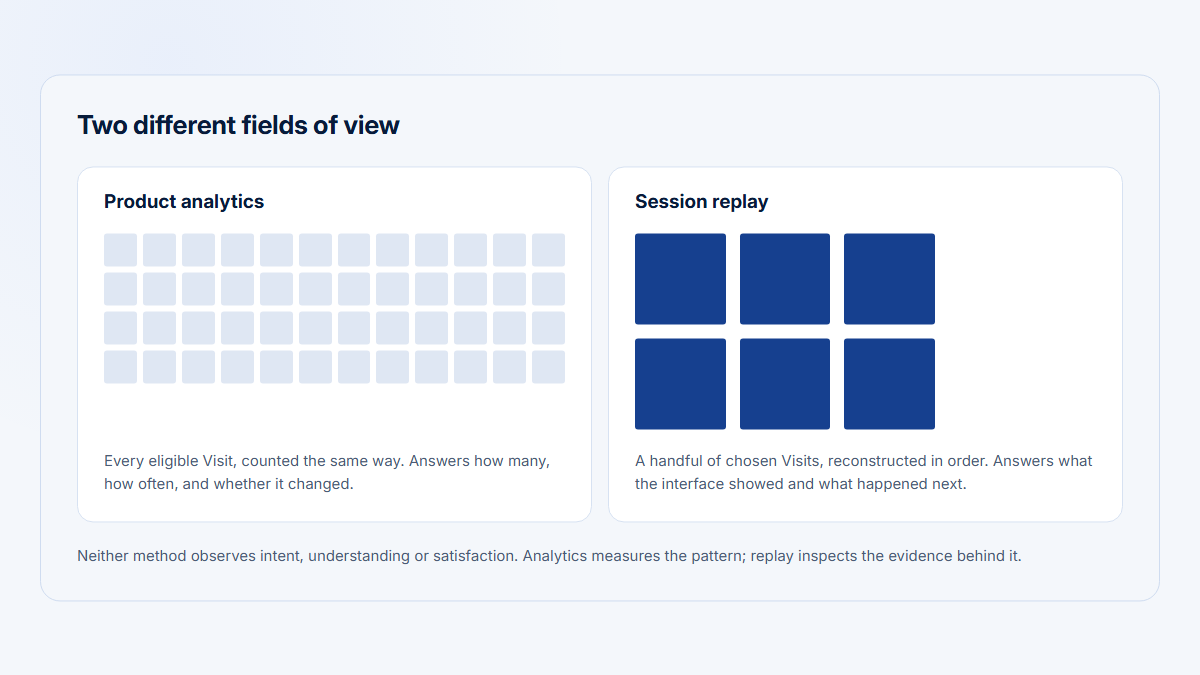
Random browsing overrepresents recent, long, dramatic, high-activity, and easily searchable sessions. It encourages memorable anecdotes and makes common patterns indistinguishable from rare ones.
Write the decision first: Should we change the export empty state introduced in the latest release? Then write a bounded research question:
Why did eligible accounts completing a Reporting export fall in the current 28-day period while Reporting Visits remained stable?
Name the aggregate signal, eligible population, workflow, comparison period, and alternative explanations. Signals can include funnel change, error increase, area adoption shift, repeated support theme, role-specific abandonment, or a pre/post-release difference. Confirm instrumentation before selecting recordings.
Replay sits in the middle of the loop, never at the start
1
Measurable signal
Export completion fell 51.6% → 32.8% while Reporting Visits held
full population
2
Sampling frame
Eligible Visits only: project, workflow, period, roles, outcomes, privacy
explicit population
3
Comparison groups
Unsuccessful against comparable successes, capped per account
selected sample
4
Observation record
Ordered pages, exact messages, timestamps — interpretation kept separate
selected sample
5
Provisional hypothesis
Named pattern with its alternatives and counterexamples
unproven
6
Validation
Event query, logs, release history, support, experiment
full population
Remeasure the original signal — or stop at “insufficient evidence”
Population evidence — can estimate how common a pattern is
Selected evidence — can explain a mechanism, never prevalence
Opening the latest recordings instead starts at step 4 with no frame: convenience sampling that over-represents recent, long and dramatic sessions.
Define the sampling frame and comparison groups
A sampling frame is the explicit set of Visits eligible for review. Record the production project, product area, workflow start and end, period, eligible accounts, roles, outcome states, environment, privacy exclusions, and maximum contribution per account.
| Method | Use it when | Caveat |
|---|---|---|
| Purposeful | Selecting information-rich failures or edge cases | Does not estimate prevalence |
| Stratified | Ensuring outcomes, roles, plans, lifecycle stages, devices, or periods are represented | Requires accurate strata |
| Random within frame | Reducing reviewer choice inside a defined population | Still needs sufficient representation |
| Extreme case | Investigating unusually long, error-heavy, or high-value sessions | Extreme cases are not typical |
| Sequential | Reviewing in batches and adapting as themes emerge | Use a stated stopping rule |
Include a comparison group when the question allows it: successful versus unsuccessful, current versus previous period, new versus experienced, affected versus unaffected, or one role versus another. In B2B products, cap Visits per account so one high-activity customer does not dominate.
Define outcome with structured evidence whenever possible. “Successful” might require the completion event and a valid downstream state; “incomplete” might mean the panel opened without completion before Visit end. Keep alternative workflows and unknown outcomes rather than forcing every session into success/failure.
Keep account context in the sample
Account context can materially change the same sequence. A first-time administrator in onboarding, an established analyst, and a viewer without export permission are not interchangeable. Preserve plan, lifecycle, role, workspace, and relevant feature eligibility while minimizing unnecessary personal data.
Choose an adequate review set
There is no universal recording count. The useful quantity depends on workflow complexity, behavioral and account diversity, identity quality, emerging consistency, the decision, privacy cost, and whether another evidence source can answer the remaining question more efficiently.
A larger count does not repair a biased frame. Twenty sessions from one enterprise account may provide less decision value than ten deliberately balanced Visits across accounts, outcomes, and roles. Conversely, a configurable workflow spanning several browsers, permission models, and account stages may need more than a small illustrative set.
Illustrative 16-Visit set: balanced by outcome, account, role and period
Account
Current — unsuccessful
Current — successful
Previous period
Cap
Account A enterprise · established
2 / 2
Account B growth · onboarding
2 / 2
Account C growth · established
2 / 2
Account D starter · onboarding
2 / 2
Account E enterprise · established
2 / 2
Account F growth · established
2 / 2
Account G starter · established
2 / 2
Account H growth · onboarding
2 / 2
16 Visits
6 current, unsuccessful 5 accounts
5 current, successful 5 accounts
5 previous period 4 accounts
max 2
Convenience set
One high-activity customer, one outcome, whatever surfaced first
Deliberate set
Eight accounts, three outcome groups, both lifecycle stages, four roles
Illustrative sample design, not a universal minimum. A bigger count cannot repair a biased frame.
Use a repeatable observation protocol
Use one record per reviewed Visit. The compact protocol keeps evidence traceable without turning a session into a narrative about the user.
| Group | Record | Why |
|---|---|---|
| Selection | Research question, safe Visit ID, date/period, and reason selected | Preserves sampling logic |
| Context | Account or redacted ID, segment, role, lifecycle, device, and eligibility | Prevents context-free interpretation |
| Outcome | Successful, unsuccessful, incomplete, alternative path, or unknown | Supports comparison |
| Observation | Ordered pages, controls, visible state, exact messages, actions, and timestamps | Captures what replay shows |
| Interpretation | Possible explanation, alternatives, and confidence | Separates hypothesis from fact |
| Safety | Privacy concern or reason to stop | Limits unnecessary exposure |
| Validation | Event query, log check, interview, usability test, release check, or experiment | Connects replay to a decision |
Observe navigation loops, visible errors, permission states, empty states, input correction, repeated controls, backtracking, abandonment points, waiting, and alternative paths. Cursor motion, pauses, and repeated clicks are behavioral proxies—not reliable measures of attention, emotion, or intent.
Also document what replay may omit: server state, events outside the browser, another tab, off-screen communication, masked content, dropped chunks, unsupported elements, changed assets, and technical failures not exposed in the interface. A complete-looking playback can still be incomplete evidence.
Record observations precisely
Use precise time references. “At 02:14 the preview displayed ‘No rows’ after the export panel opened” is reviewable. “The export flow was frustrating” is not. Note whether the recording itself shows a gap, a loading state, or unsupported content before interpreting the user's path.
Team reviews should use the same protocol. Assign a facilitator, keep the research question visible, pause to record exact observations, collect interpretations separately, note disagreements and counterexamples, and end with a validation owner. Avoid playing random customer sessions as entertainment.
Keep notes comparable
Keep observation notes compact enough to compare. Long narratives invite selective reading. A structured row for state, action, outcome, alternatives, and follow-up makes it easier to code recurring themes across reviewers and accounts.
Worked example: export completion falls
All figures are fictional. Across two consecutive 28-day periods, eligible active companies with a Reporting Visit rose from 62 to 64 and Reporting Visits rose from 1,161 to 1,184 (+2.0%). Companies completing an export fell from 32 to 21.
Account export-completion rate
Eligible companies completing an export ÷ eligible companies with a Reporting Visit × 100
- Previous:
32 ÷ 62 × 100 = 51.6%. - Current:
21 ÷ 64 × 100 = 32.8%. - Change:
32.8% − 51.6% = −18.8 percentage points. - Affected current-period accounts:
64 − 21 = 43.
An illustrative 16-Visit set includes six unsuccessful current-period Visits across five accounts, five current successes across four comparable accounts, and five previous-period Visits across four accounts, with both roles and lifecycle stages and no account contributing more than two Visits.
Four current unsuccessful Visits across four accounts show an export panel with a seven-day default and zero rows; comparable successes either have data in seven days or change to 30/90 days. Two other failures show a permission state. This supports a provisional date-range hypothesis but does not prove confusion or causality.
Query the full population
The team then queries the full population. Of 43 non-completing accounts, 26 opened export, 18 reached an empty result with seven days selected, five met a permission state, and three followed other incomplete paths. Release history confirms the default changed from 30 to seven days, while technical monitoring shows no broad server-error increase.
Worked example: what six replays suggested, and what 43 accounts confirmed
Step 1 — the signal, full population
Previous 28 days
32 of 62
Current 28 days
21 of 64
−18.8 percentage points · Reporting Visits +2.0% over the same window
Eligible companies completing an export ÷ eligible companies with a Reporting Visit. The metric locates the change; it cannot say why.
Step 2 — six selected Visits, no prevalence claim
4 Visits · 4 accounts
Export panel opens on a seven-day default and previews zero rows
Comparable successes had data inside seven days, or changed the range to 30/90 days
2 Visits · 2 accounts
Permission state blocks the export
A separate pattern — do not fold it into the date-range story
Two candidate mechanisms, both unproven. Nothing here establishes how many accounts hit either state.
Step 3 — query all 43 non-completing accounts
Did not complete an export
Opened the export panel
Empty result, seven days selected
Permission state
Other incomplete paths
Never opened the panel
Release history confirms the default changed from 30 days to seven
Technical monitoring shows no broad server-error increase
Testable hypothesis: for accounts with less frequent Reporting data, the seven-day default may produce an empty preview without directing users to a longer range. Permission failures are a separate group of five, and 17 accounts never opened the panel at all — a question replay never raised.
Testable hypothesis: for accounts with less frequent Reporting data, the seven-day default may produce an empty preview without clearly directing users to a longer range. Permission-related failures appear separate.
Possible responses include a longer default, an explicit empty-state action, stronger range visibility, separate permission guidance, staged interface testing, or moderated usability research. Remeasure the original account completion metric after the change.
The example demonstrates the division of labor. The metric detected a population-level change. The replay comparison revealed two candidate patterns. Complete event data estimated how many affected accounts reached each state. Release and technical evidence tested timing and alternatives. A product change can now target the date-range state without pretending it explains permission failures.
Validate after the change
After the change, compare the same eligible-account completion rate over another complete 28-day window, check whether the empty-state pattern declines, and continue to monitor the permission group separately. If completion improves, the result supports—but does not by itself prove—the interface hypothesis; concurrent releases and seasonality still matter.
Code themes, validate findings, and protect privacy
Code themes from observed evidence, not inferred intent. A theme record should name the exact pattern, supporting Visits and accounts, comparison evidence, counterexamples, affected segments, alternatives, confidence, and next validation step. Keep disconfirming cases visible.
Use theme names that remain close to evidence: “empty preview with seven-day range” is better than “users do not understand exports.” Count reviewed examples and distinct accounts, but do not present sample counts as population rates unless the design supports that inference.
Record counterevidence
A useful theme table includes supporting and contradicting sessions. If four incomplete Visits show an empty preview but two comparable incomplete Visits show permissions, preserve two themes. If a successful Visit also shows the empty preview and completes after a range change, that comparison sharpens the mechanism instead of weakening the analysis.
Stop reviewing when additional sessions repeat known evidence without changing the decision, when the remaining question belongs to event data/logs/interviews, when the sample no longer represents the frame, when privacy risk outweighs value, or when a testable hypothesis and validation plan are ready. Saturation is a documented judgment, not a magic recording count.
Validate with another evidence source
Validate against full-population events, errors and logs, release history, support evidence, experiments, usability tests, and customer context. Replay cannot tell you how common a pattern is unless the sampling design supports that inference.
Choose the next evidence source from the uncertainty. Use event queries for prevalence and sequences, server logs for failures, release history for change timing, support records for reported impact, moderated research for interpretation, and experiments or staged releases for causal testing. Do not keep watching recordings when a different method can answer the question.
Set stopping criteria
Stopping criteria should be written before or during the review: the target comparison is represented; additional Visits repeat existing themes; the main alternatives have supporting or contradicting evidence; privacy risk remains acceptable; and the team has a specific next measurement or test. Reopen sampling if a new theme changes the decision.
Replay review can also end with “insufficient evidence.” That is preferable to turning weak, incomplete, or privacy-sensitive recordings into a confident product claim. Improve instrumentation, run research, or narrow the question before continuing.
How Hymetry connects signals to Visits
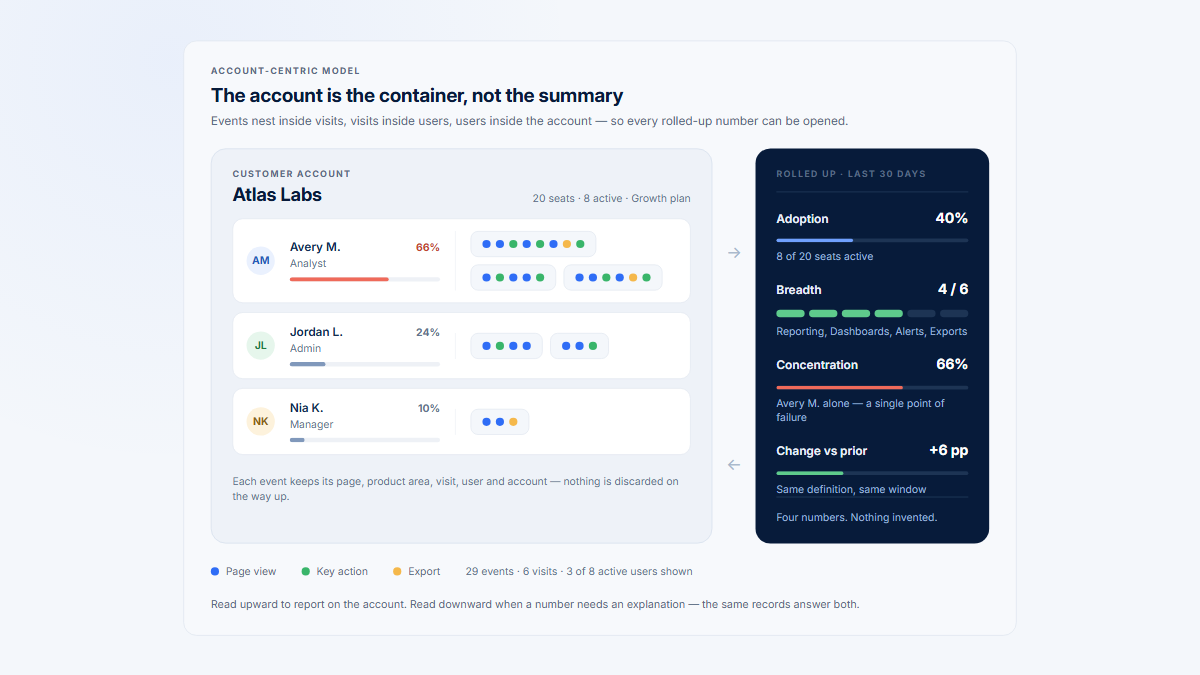
Hymetry lets teams start from Pages and product areas, identify affected Companies and contributing Users, then open relevant Visits. This preserves the B2B path from aggregate signal to selected session evidence and back to quantitative validation.
The workflow does not make replay representative by itself. Teams must still define eligibility, comparison groups, sampling, privacy, observation discipline, and stopping criteria.
Frequently asked questions
How do you review session replays efficiently?
Start with a measurable signal, define the eligible frame and comparison groups, use a shared protocol, and stop when another recording will not change the next decision.
How many recordings should I watch?
There is no universal number. Represent important outcomes and contexts, then expand only when new evidence may change the hypothesis or plan.
Should the sample be random?
Random selection within a defined frame can reduce reviewer choice, but purposeful or stratified sampling is often better for comparing known outcomes and roles. Neither automatically estimates prevalence.
What is a sampling frame?
The explicit population of Visits eligible for selection, defined by project, workflow, period, account, role, outcome, environment, and privacy rules.
Can replay show that a user was confused?
No. It can show captured actions and interface state. Confusion is an interpretation that needs additional evidence.
Why include successful recordings?
They reveal what differs between comparable outcomes and prevent every visible behavior from being mistaken for a cause.
Can replay show how common a problem is?
Usually not by itself. Use complete event or technical data, or a sampling design that supports population inference.
Does replay replace usability testing?
No. Replay observes captured production behavior without hearing participant reasoning; usability testing investigates tasks and interpretations directly.
Sources
Replay implementation context
Research planning, sampling, and analysis
Bias, privacy, and masking
Additional references from the original article
- gala.gre.ac.uk: 14173 ROBINSON Sampling Theoretical Practical 2014
- ons.gov.uk: Sampledesignandestimation
- nngroup.com: Analyze Usability Data
- journals.plos.org: Article
- microsoft.com: User See User Point Gaze And Cursor Alignment In Web Search
- Open demo Visits
- meaningful feature use
- product usage by company