
Edgewater Labs
Mid-market account · Project management plan · Active today
Needs review
18 users dropped below their normal activity pattern during the last 30 days.
Core workflows are healthy, but Reporting is still unused by most active users.
Company analytics
Companies turns product usage into account-level signals — so product, success, and account teams can see which customers are healthy, which need attention, and where expansion opportunities are hiding.
Explore a sample SaaS project. No credit card required.
Account health overview
Companies turns adoption, engagement, users, pages, and trends into a clear account state. Teams can see which customers are healthy, slipping, onboarding, or ready to expand without reading every dashboard widget.
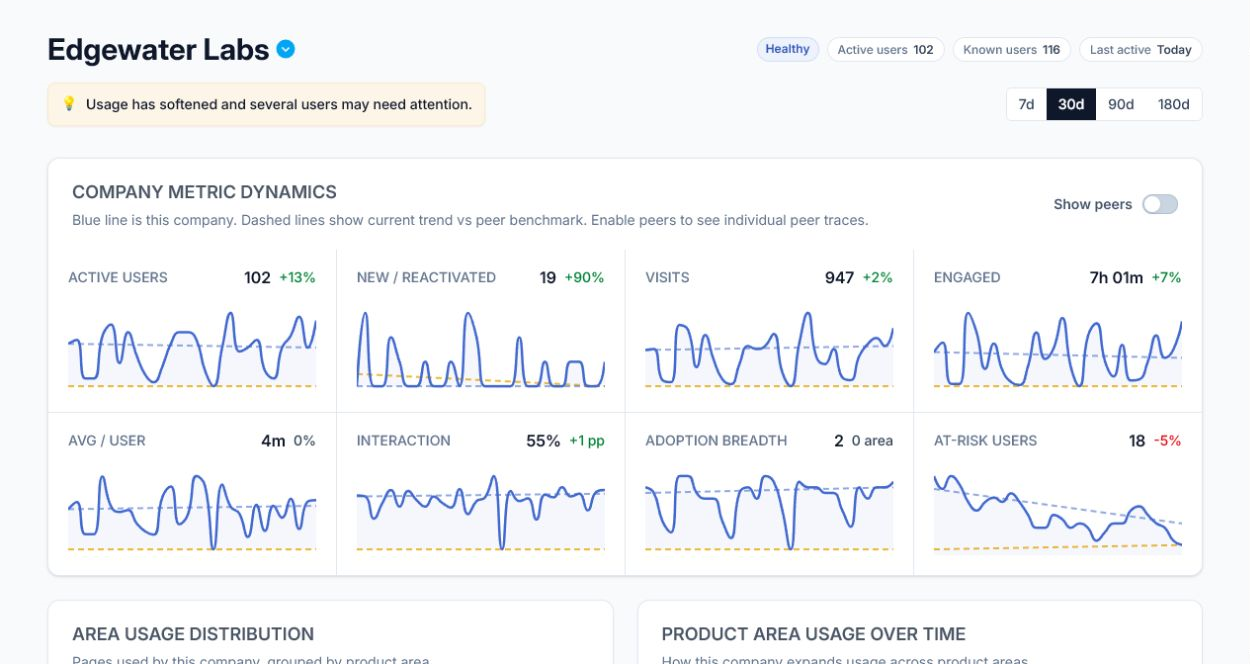
Edgewater Labs
Mid-market account · Project management plan · Active today
Needs review
18 users dropped below their normal activity pattern during the last 30 days.
Core workflows are healthy, but Reporting is still unused by most active users.
Prioritize accounts
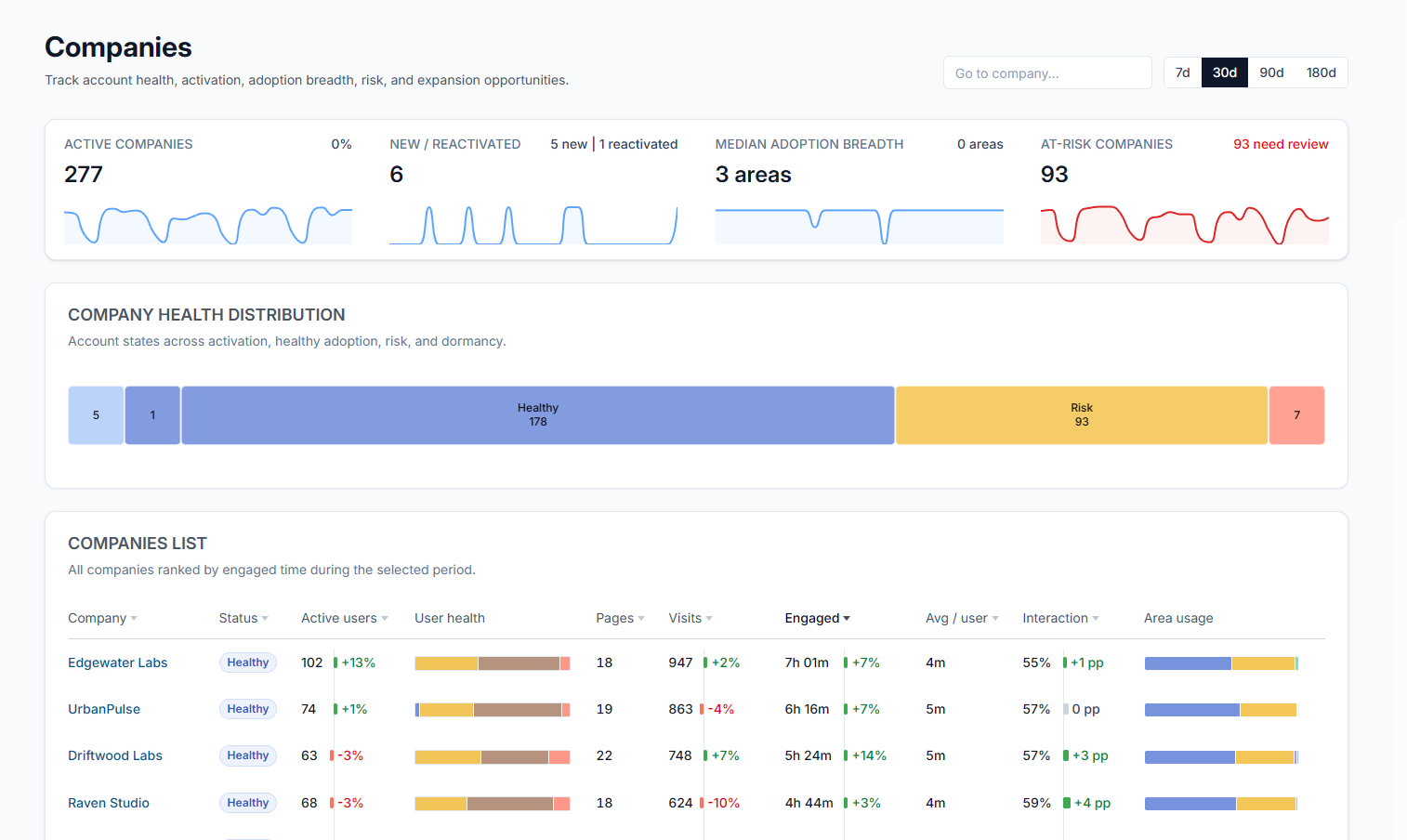
The flagship Companies table ranks accounts by the signals teams actually act on: risk, expansion readiness, onboarding gaps, active-user depth, lifecycle, and follow-up state.
| Company | Signal | Health | Evidence | Next action |
|---|---|---|---|---|
| Edgewater Labs | Needs review | 78 · +13% | 102 active users, 18 at-risk users, 2 adopted areas | Check at-risk users |
| UrbanPulse | Expansion | 84 · +7% | Healthy core adoption, Reporting workflow not yet used | Introduce unused workflow |
| CloudForge | Churn risk | 42 · -18% | Active users dropped and engaged time fell below peer baseline | Add backup champion |
| NorthStar Systems | Onboarding | 61 · +22% | New usage is growing, but setup is concentrated in one area | Review onboarding gap |
| Wokka Industries | Healthy | 88 · +4% | Broad adoption, consistent visits, multiple active teams | Monitor lifecycle stage |
Explain movement
A health state is only useful when the team can see what moved it. Companies connects score changes to adoption, engagement, users, pages, and peer context so a review starts with evidence instead of guesswork.
Evidence view
The detail view keeps the account profile, metric movement, users, adopted pages, visits, peer comparison, and recommendations in one investigation path.
See active, slipping, passive, and champion users behind the account signal.
Review which workflows were adopted, ignored, or newly discovered.
Open activity context when a recommendation needs session-level proof.
Keep recommended actions tied to the source views your team can review.
Segments and lifecycle
Teams can group companies by lifecycle, plan, size, segment, and health state to understand whether an account is behaving normally for its cohort.
New, onboarding, active, expanding, dormant, or reactivated.
Enterprise, mid-market, startup, customer type, plan, or region.
Known users, active users, team count, and adoption breadth.
Healthy, needs review, churn risk, setup gap, expansion opportunity.
Recommendations
Recommendations stay practical: what changed, what evidence supports it, and which source view the team should open next.
Featured recommendation
Edgewater Labs · Needs review · Medium confidence
Review slipping users, identify whether usage is concentrated around too few champions, and introduce the Reporting workflow only after the account has backup adoption.
Guardrails and handoff
Companies helps teams prioritize accounts without hiding the source views behind each signal.
Account recommendations link back to company detail, users, pages, visits, and peer context.
Health, adoption, engagement, lifecycle, and page-level signals remain visible before teams act.
Recommendations guide the next review step; your team decides what to change, send, or investigate.
The page stays focused on the core account workflow: health, reason, priority, evidence, and action.
Explore a demo project first, then create your workspace when you’re ready.
No credit card required.